01
Consistent progress photos
Use Front, Side, Back, or custom labels and an optional previous-photo guide to make future check-ins easier to compare.
ProgressLens is a private progress photo tracker and body measurement app for Android and iPhone, built for weight loss, gym progress, muscle gain, body recomposition, and visual check-ins. Keep front, side, back, and custom photos organized by date, then compare changes side by side.
Progress photos · Body measurements · Before & after comparisons · Private on-device timeline
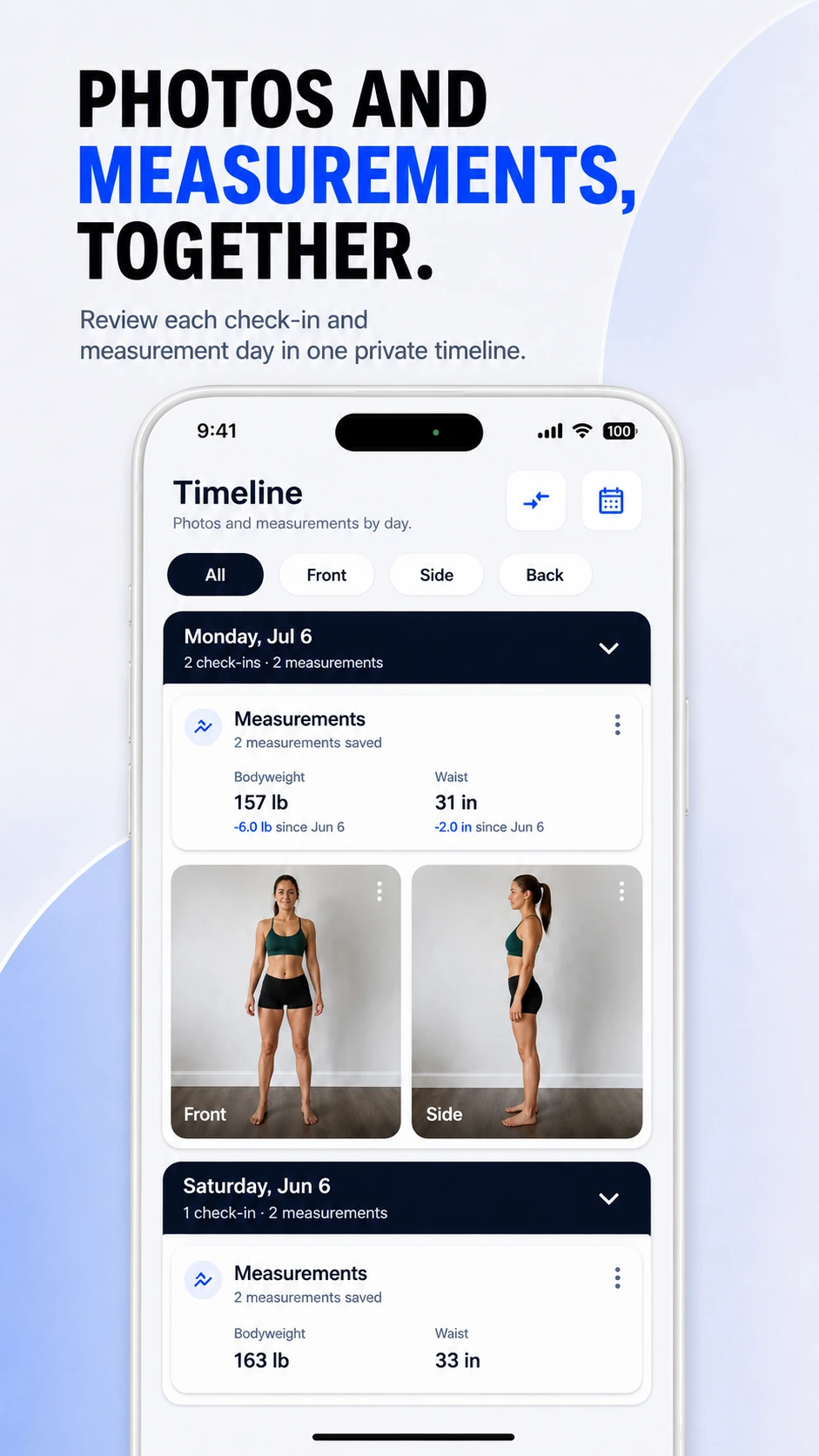
A camera roll stores pictures. ProgressLens turns them into a consistent visual record with measurements, labels, dates, and comparisons.
Use Front, Side, Back, or custom labels and an optional previous-photo guide to make future check-ins easier to compare.
Log bodyweight, waist, chest, shoulders, arms, thighs, and other measurements on the dates that matter.
Open two matching check-ins and compare the same pose over time without hunting through your photo gallery.
ProgressLens is intentionally focused: it records the photos and measurements you choose, keeps them organized, and helps you compare your own history.
Pair photos with weight and waist measurements to see changes that a single scale number can miss.
Keep weekly or monthly physique photos organized by pose and compare the same view later.
Track visual change and measurements even when bodyweight moves slowly or stays similar.
Document visual and measurement changes during a clinician-guided GLP-1 journey without turning ProgressLens into a medication tracker.
Quick answers about using ProgressLens for this kind of progress tracking.
A progress photo tracker organizes repeated photos by date and view so you can compare the same pose over time instead of searching through a normal camera roll.
Yes. You can log bodyweight, waist, chest, shoulders, arms, thighs and other measurements alongside photo check-ins.
ProgressLens is designed around local, on-device progress tracking. Your normal check-ins are not published to a social feed.
Yes. ProgressLens is designed for visual progress tracking, whether your goal is weight loss, muscle gain, body recomposition, fitness progress or another personal change.
No. You can use the progress journal without creating a ProgressLens account.
Journal photos and measurements are stored in the app's local storage by default. ProgressLens does not automatically upload your journal to ProgressLens servers.
Core journal features such as saving photos and measurements, browsing the timeline and comparing check-ins are local-first. Store purchases and optional analytics or crash diagnostics can require a network connection.
Yes. You can create and restore a local backup. Backups are plaintext ZIP files, so save them only to a destination you trust.
No. ProgressLens does not count calories, plan diets, prescribe workouts or track steps. It is focused on progress photos, measurements and comparisons.
No. ProgressLens records the photos and measurements you enter; it does not diagnose body composition or provide medical advice.
ProgressLens is designed around personal progress tracking. Keep regular records private, create a local backup when you need one, and share a comparison only when you choose.
Download ProgressLens for iPhone or Android and keep photos and measurements in one place.